
Find deliveries
The Deliveries page lists every delivery in the account, newest first. You can search, filter and sort it.

Search
Type in the search box and click Search. You can search by the recipient's name, e-mail address or kennitala, by the title, or by the delivery ID.
Filter
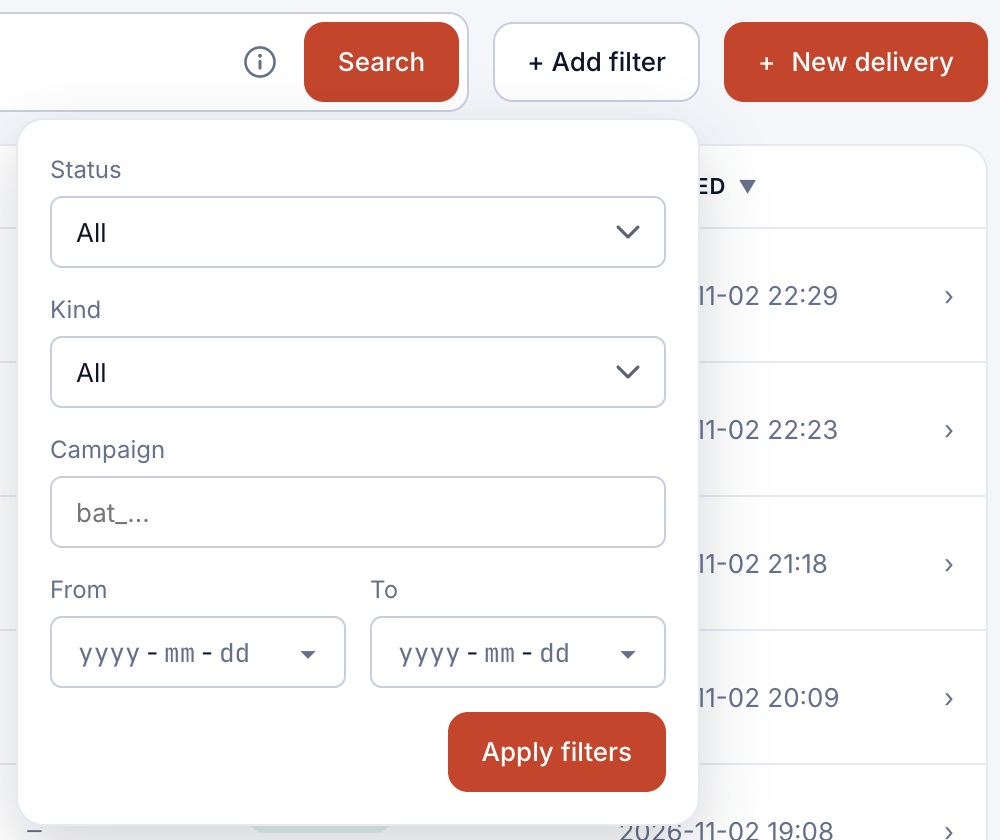
- Click + Add filter.
- Choose a Status, a Kind, a Campaign (its ID, starting with
bat_), or a date range with From and To. - Click Apply filters. Active filters are shown above the list; remove them one by one or all at once.
Sort
Click a column heading with arrows, such as Recipient, Title, Status or Created, to sort by it. Click again to reverse the order.
What the columns show
- ID: the end of the delivery's ID.
- Recipient: name and e-mail address (and kennitala, if you entered one).
- Campaign: the campaign the delivery belongs to, if any.
- Status: where the delivery stands, with the latest event underneath, such as Document downloaded.
The list shows live data or test data, depending on the switch in the top bar. See Test data and live data.