
Invite team members
A company account has a team. Invite your colleagues so they can send and follow deliveries in the company's name, each with a role that fits their work.
Who can do this: the owner, admins, and members with the right Invite to the team. An invitation can only give rights you hold yourself.
Invite someone
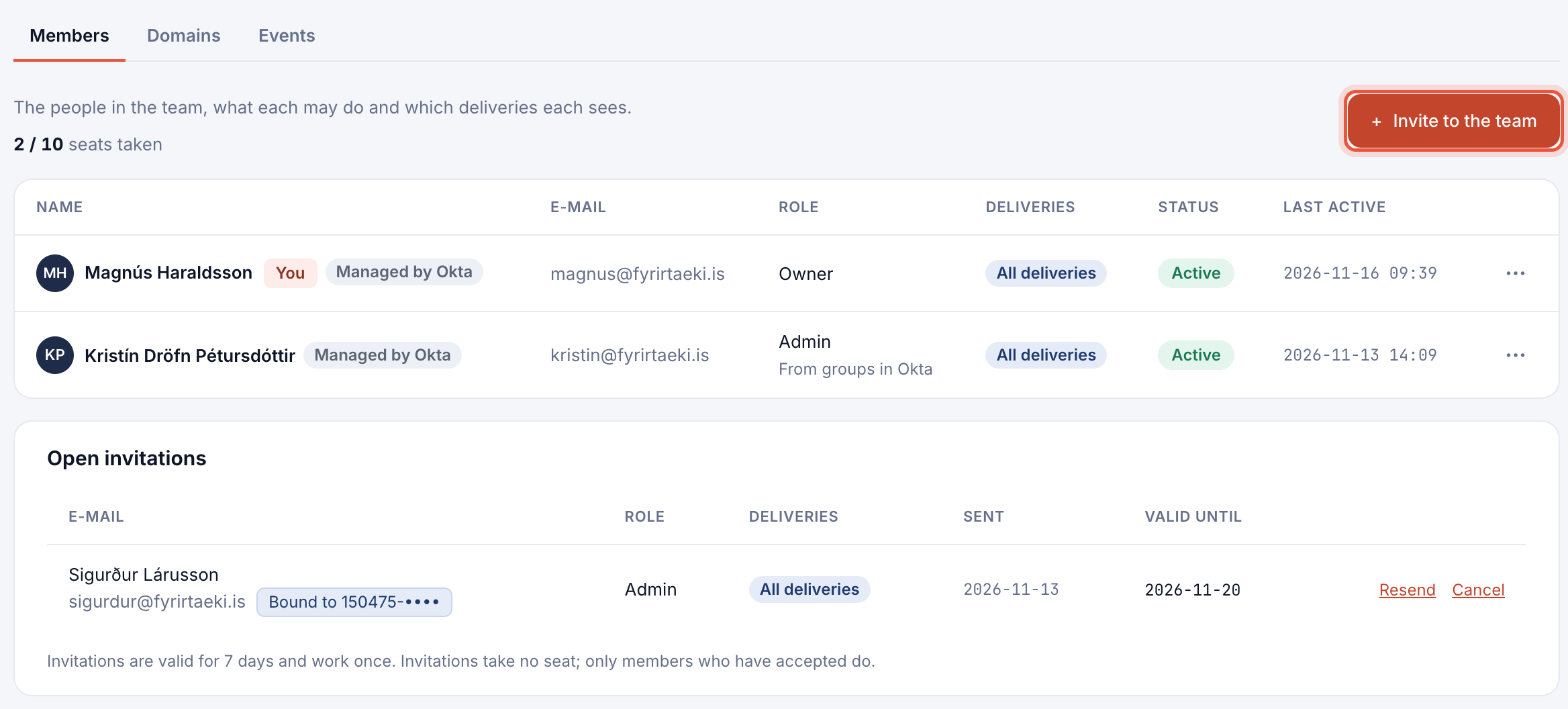
- Open Team and click + Invite to the team. The page shows how many seats are taken.
- Enter the person's E-mail. A Name is optional and only helps you recognise the invitation; the name in their electronic ID replaces it when they accept.
- Optionally add their Personal code (kennitala), or search the National Registry by name and birth year. Then only that person can accept the invitation, with their electronic ID.
- Choose a Role: Admin, Developer, Sender, Viewer or Billing. The line under the buttons says what the role does. See Roles and permissions.
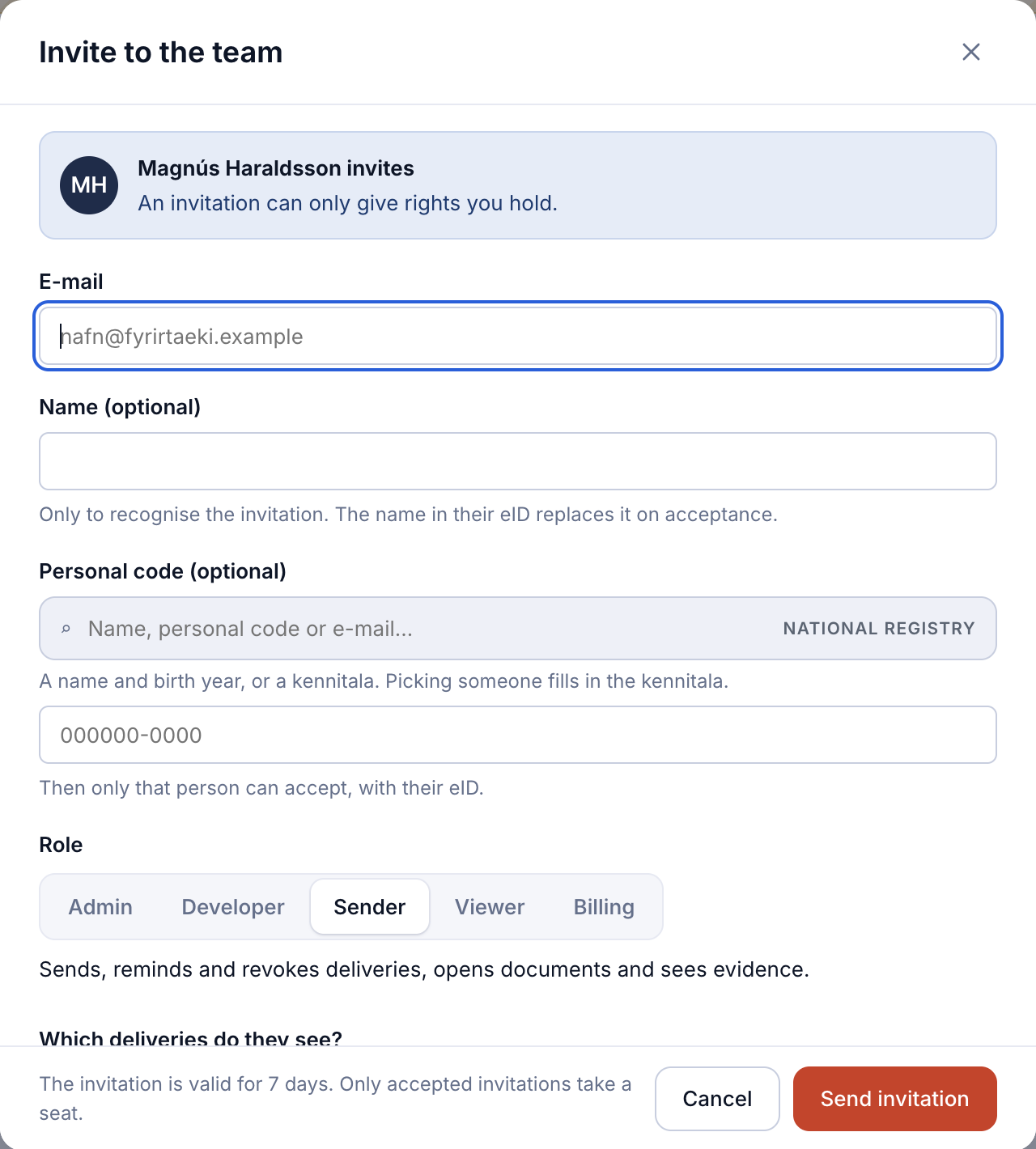
- Under Which deliveries do they see?, choose All team deliveries or Only own deliveries.
- Adjust single Rights if needed, and click Send invitation.
What the invited person does
They get an e-mail with a link. They open it, sign in with their electronic ID (or create an account first), and are in the team.
Open invitations
- Invitations are valid for 7 days and work once.
- Invitations take no seat; only members who have accepted do.
- Under Open invitations, click Resend to send the e-mail again, or Cancel to withdraw it.
Using Okta or Microsoft Entra ID? With provisioning (SCIM), your identity provider adds people to the team for you. See Single sign-on and the sign-in policy.