
Open a delivery with an electronic ID
To open a delivery you confirm who you are. How depends on what the sender asked for; most deliveries need an electronic ID.
With the Auðkenni app or eID on your phone
- On the delivery page, click Open with electronic ID.
- Choose Auðkenni app or eID on mobile (SIM).
- Auðkenni app: scan the QR code with your phone, or open the app on this device.
- eID on mobile (SIM): enter your phone number.
- Check that the verification code on your phone matches the code on the screen, and confirm only if it does.
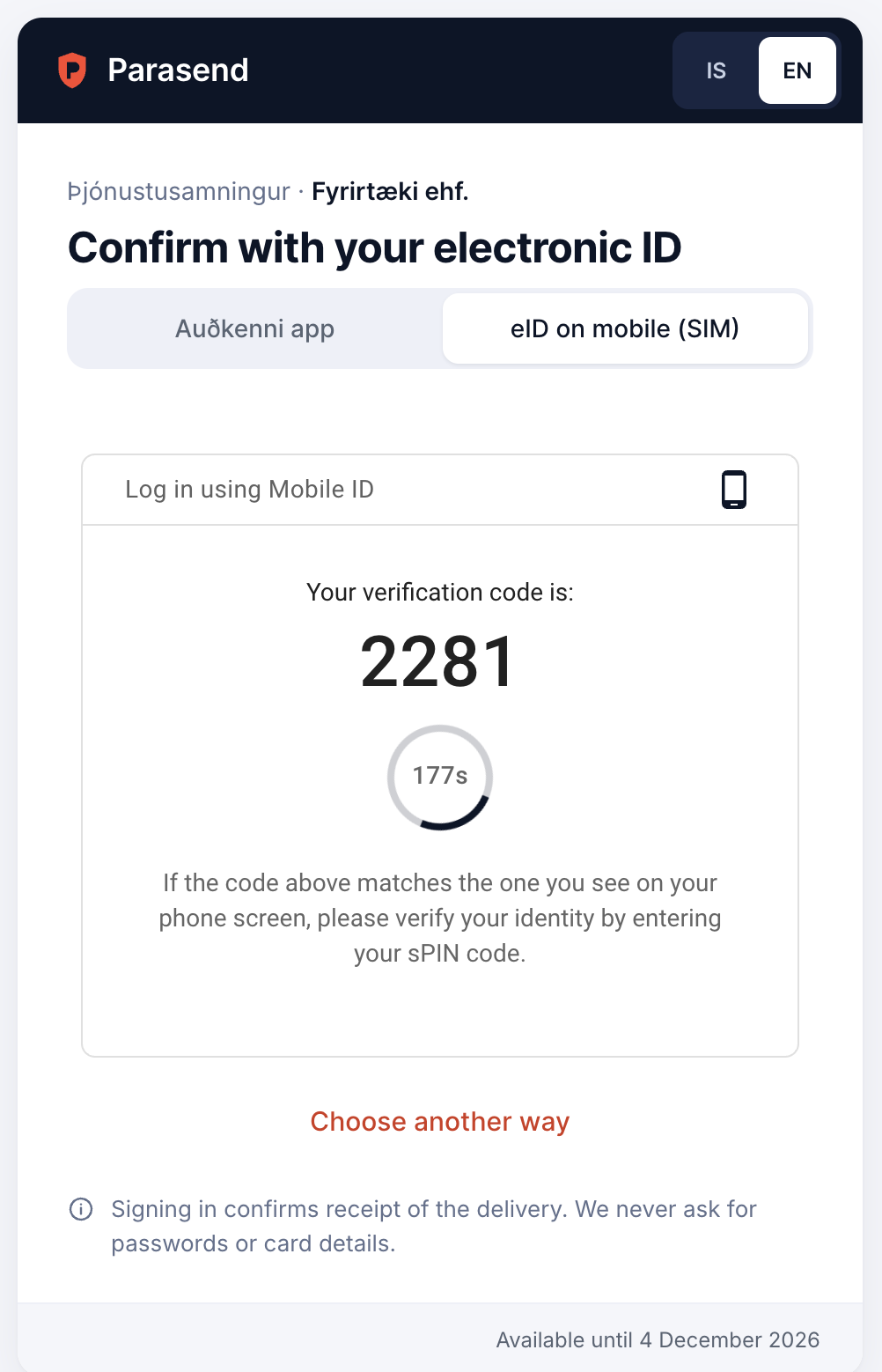
- The documents are released and you can download them.
If something goes wrong, click Choose another way to try a different method, if the sender allows one.
Other ways the sender may allow
| Method | How it works |
|---|---|
| Smart-ID | For people in Estonia, Latvia and Lithuania. |
| SMS code | A one-time code is sent to your phone; type it in. |
| Link only | The delivery opens with the link alone. |
If the sender has locked the delivery to your kennitala, only you can open it, with your own electronic ID.
Next time: a passkey
Some senders let you open later deliveries with a passkey instead of your electronic ID: Face ID, Touch ID or your device PIN. After confirming with your electronic ID you may be offered to add one. It is optional. Next time you click Open with Touch ID (or Face ID).
Your fingerprint or face never leaves your device. A passkey not used for 13 months is deleted automatically, and you can withdraw your consent at any time by writing to privacy@parasend.com.