
The Delivery Certificate
The Delivery Certificate is a sealed PDF that proves what happened to a delivery: who sent it, who received it, how they identified, which documents were sent and when everything happened. You can use it as evidence, for example in a dispute about whether a notice was received.
See a full example: sample Delivery Certificate.
Download the certificate
- Open the delivery from Deliveries.
- Click Delivery Certificate (PDF) to open it, or the download arrow next to it to save the file. It takes a few seconds to prepare.
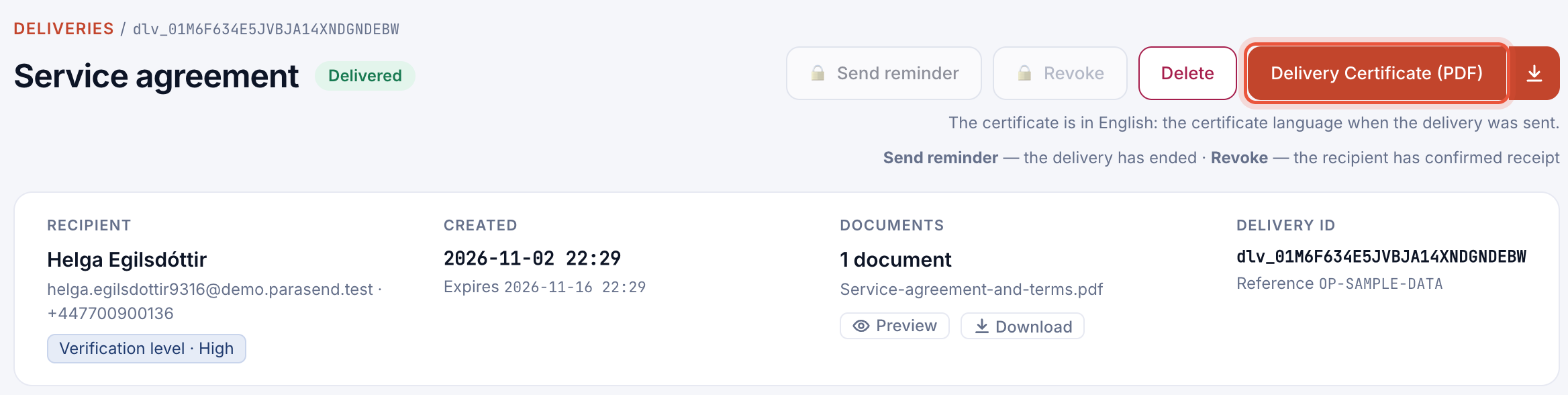
The certificate is available once the recipient has identified, or the delivery has ended (for example expired or revoked). Until then the button shows a lock.
What the certificate shows

| Part | Contents |
|---|---|
| Top of page 1 | The outcome as a heading, for example Delivered — receipt confirmed, with the times, and Recipient assurance: the level at which the recipient identified. |
| Parties | The sender (company, and who sent it unless their name was hidden) and the recipient, with how each was identified. |
| Documents | Every file with its SHA-256 fingerprint, so anyone can check that a document is exactly the one sent. |
| Verification | A QR code and link to check the delivery's sealed evidence record at parasend.com/verify. |
| Delivery and event log | The delivery's settings, then every recorded event with its time in UTC. The evidence events are sealed. |
| Electronic seal and legal notice | Who sealed the evidence and the legal basis. |
Language
Each certificate is sealed in one language: the company's Delivery Certificate language when the delivery was sent. The delivery page says which. To change it for future deliveries, see Company settings.
The recipient's copy
The recipient can download the same certificate from the delivery page after confirming receipt.
Anyone can check that a certificate is genuine and unchanged at parasend.com/verify. See Verify a Delivery Certificate.