
Remind, correct, revoke or delete a delivery
After sending, you can still act on a delivery from its page. Open it from Deliveries.

A button with a lock can't be used right now; the reason is written under the buttons. Some actions also depend on your role: Send reminders and Revoke deliveries are separate rights.
Send a reminder
- Click Send reminder.
- Under Send by, choose E-mail, SMS or Both, and click Send.
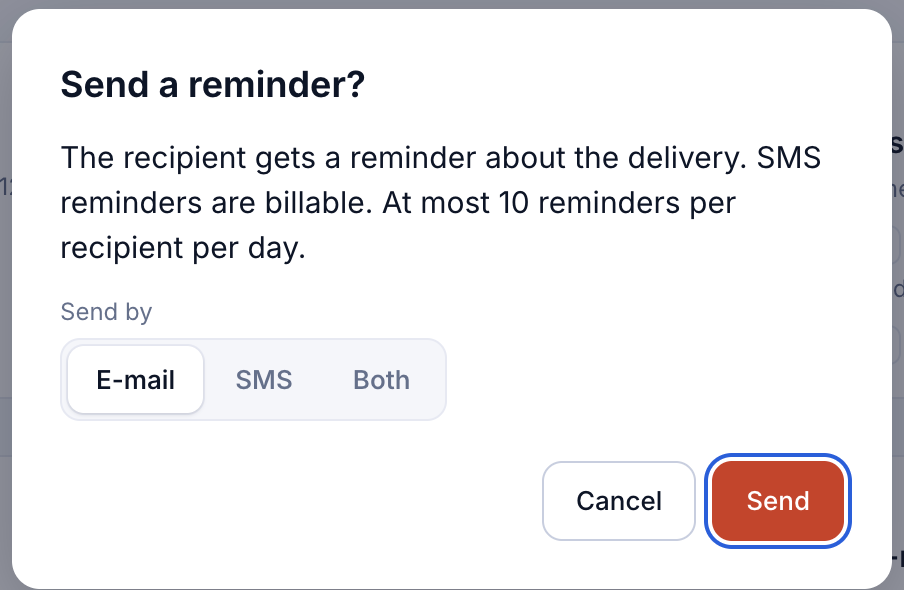
SMS reminders are billable. A recipient can get at most 10 reminders a day. You can't remind before the first notice has gone out, or after the delivery has ended.
Correct the e-mail address or phone number
If the address was wrong or the notification bounced, click Correct e-mail or phone under the recipient. Fix the address or number and click Save. If the notification has already gone out, it is sent again with the same link to the corrected address. The change is recorded in the audit trail.

Change the follow-up policy
Click Change follow-up policy on the follow-up card. Choose the new policy and whether the delivery starts from the first step or a given step. The summary shows how many reminders will go and when. The first notice is not sent again, and steps already sent don't change.

Revoke a delivery
Revoking withdraws a delivery whose receipt the recipient hasn't confirmed yet. Click Revoke and confirm.

Revoking can't be undone. The recipient sees that no documents were shared. Once the recipient has confirmed receipt, the delivery can't be revoked.
Delete a delivery
When a delivery has ended (delivered, expired or revoked) you can delete it with Delete. The documents are deleted for good after 30 days. The evidence is kept for 7 years, as the law requires, so the Delivery Certificate can still be verified.
Copy the recipient's link
Click Copy recipient link under the delivery ID to copy the link the recipient got, for example to send it to them another way. The link still only opens for a recipient who identifies at the required level.