
Use templates for notices and reminders
Templates are saved wording you reuse in notices and reminders, so your messages sound like your company. Every change becomes a new version, and the evidence records which version was sent.
Who can do this: everyone can see templates; team members whose role lets them manage follow-up policies can create and change them.
Kinds of templates
- Reminders: chosen in a follow-up policy's step.
- First notice: chosen in a new delivery or campaign.
- Parasend's wording: Parasend's own first notices and reminders, by e-mail and SMS. They can't be changed, but you can click Duplicate and change the copy.

Use the All, E-mail and SMS buttons at the top to filter the list.
Create a template
- Open Templates and click + New template.
- Under Name and channel, give it a Name, choose its Use (Reminder or First notice) and its Channel (E-mail or SMS).
- Under Wording, choose the language tab and start from Parasend's wording. Write your own Subject, Heading and Text, and click the placeholders under Insert to add the delivery's details.
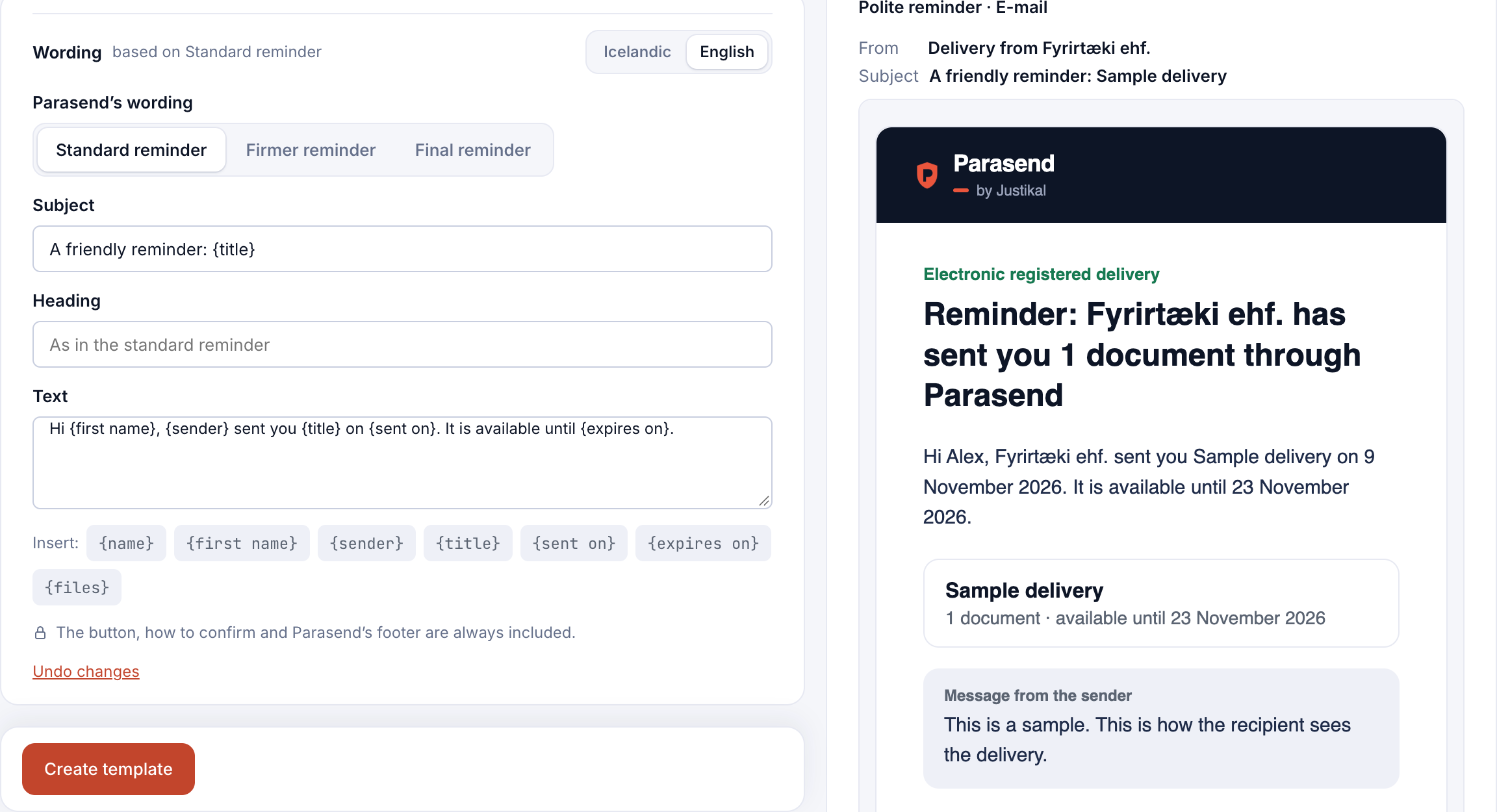
- Check the preview on the right. Click Send a test to me to see it in your inbox.
- Click Create template.
Write both an Icelandic and an English version if you send in both languages; each delivery uses its notification language.
Use a template
- Reminder: in a follow-up policy, open the step and choose it under Choose a saved wording. See Create or edit a follow-up policy.
- First notice: choose it when you create the delivery or campaign.