
Create and manage API keys
API keys connect your own systems (for example a CRM, billing or case-management system) to Parasend. Each key is bound to a person with their electronic ID, who is responsible for what is sent with it. The keys belong to the organisation.
Who can do this: the owner, admins, developers and others with the right API keys and webhooks. You confirm it's you when you create or roll a key.
Test keys and live keys
- In test data, keys start with
ps_test_and send nothing to real recipients. You can show a test key again later. - In live data, keys start with
ps_live_and send real deliveries. A live key is shown only once, when you create it.
Both use the same API address, https://api.parasend.com/v1: the key decides. Switch between test and live data with the switch in the top bar.

Create a key
- Open API keys and click + Create key.
- Give it a Name you'll recognise, such as the name of the system that uses it.
- Choose its Access:
- Sending: create deliveries and campaigns, upload files, follow them and read evidence.
- Read only: read deliveries, campaigns, events and evidence, nothing else.
- Full access: everything your role allows, including changing settings and deleting.
- Custom: choose the access for each area.
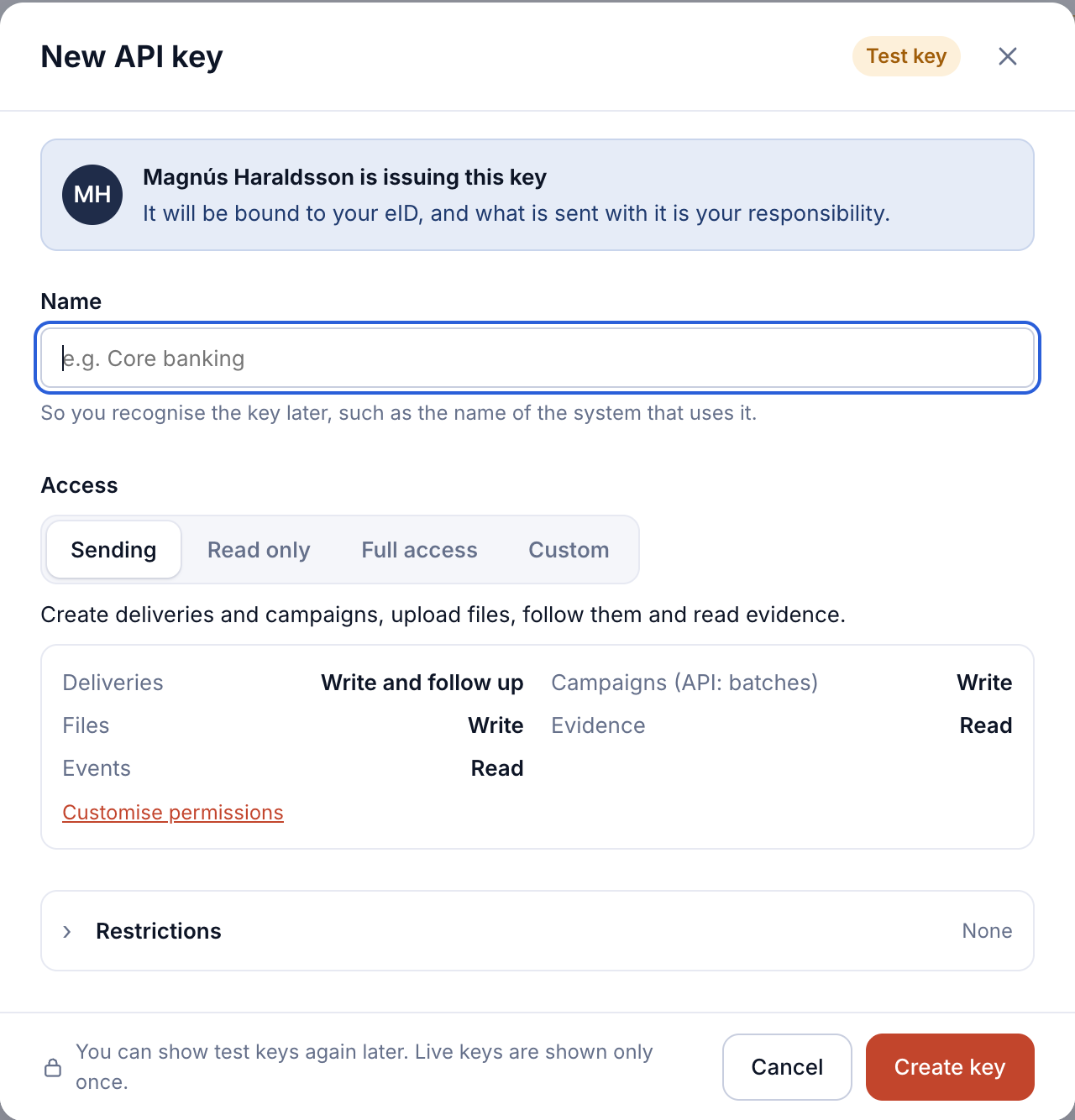
- Optionally open Restrictions to set how long the key is Valid for (30 days, 90 days, 1 year, a date, or no expiry) and its Allowed IP addresses (one IP address or CIDR range per line; empty means from anywhere).
- Click Create key, confirm it's you, and copy the key into your system.
Manage keys
| Action | What it does |
|---|---|
| Show | Shows a test key again. Live keys can't be shown again. |
| Edit | Change the name, access or restrictions. |
| Roll | Creates a new secret, shown once. The old one keeps working for 24 hours, so your systems can switch without interruption. Need it gone now? Revoke it instead. |
| Delete | The key stops working at once. Only the person the key is bound to, or the owner, can delete it. |
Treat keys like passwords: store them in your system's secret store, never in code or e-mail. When someone who holds keys leaves, roll or delete their keys as part of removing them: see Change, remove or replace a member.