
Change your service plan
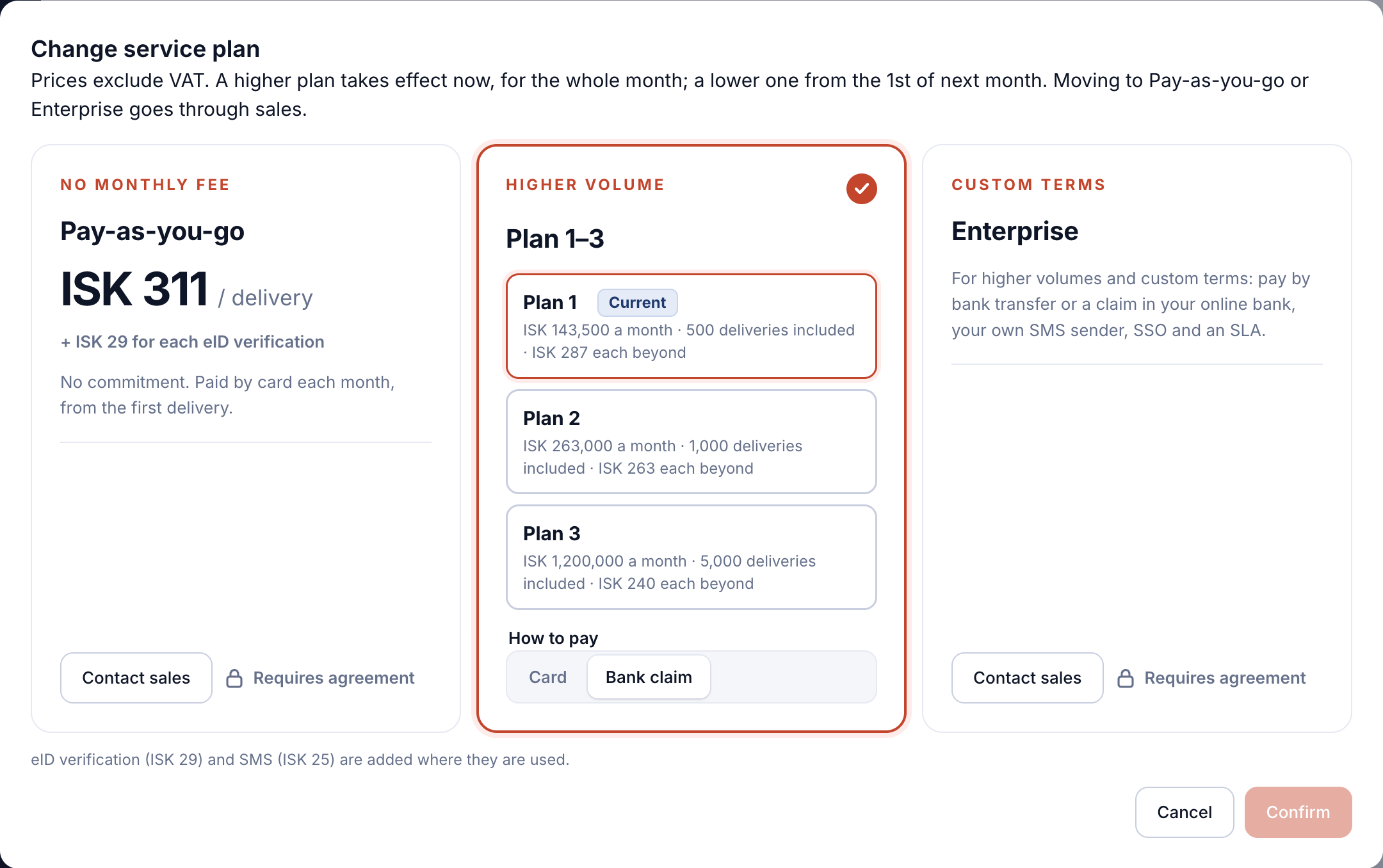
You can move between Plan 1, Plan 2 and Plan 3 yourself. Moving to Pay-as-you-go or Enterprise goes through sales.
Who can do this: the owner and admins.
- Open Service plan and billing and click Change service plan.
- Choose Plan 1, Plan 2 or Plan 3. Your current plan is marked Current.
- Under How to pay, choose Card or Bank claim.
- Click Confirm.
When the change takes effect
- A higher plan takes effect now, for the whole month.
- A lower plan takes effect from the 1st of next month.
- Pay-as-you-go and Enterprise require an agreement: click Contact sales.
Coming from free deliveries? When they're used up, choose a plan here to keep sending.