
Create a personal account
A personal account is for one person: deliveries go out in your own name. You can have one personal account, and also belong to any number of company accounts.
Choose how to sign up
Go to app.parasend.com/register. You have two ways in:
| Way | What it means |
|---|---|
| Electronic ID | Your identity is confirmed at once. Your deliveries carry your verified name, and you can use SMS and choose a service plan straight away. |
| Sign up with e-mail | You start at once without an electronic ID. Until you verify your identity, your deliveries are marked Unverified sender and notifications go by e-mail only. |

Sign up with e-mail
- Click Sign up with e-mail.
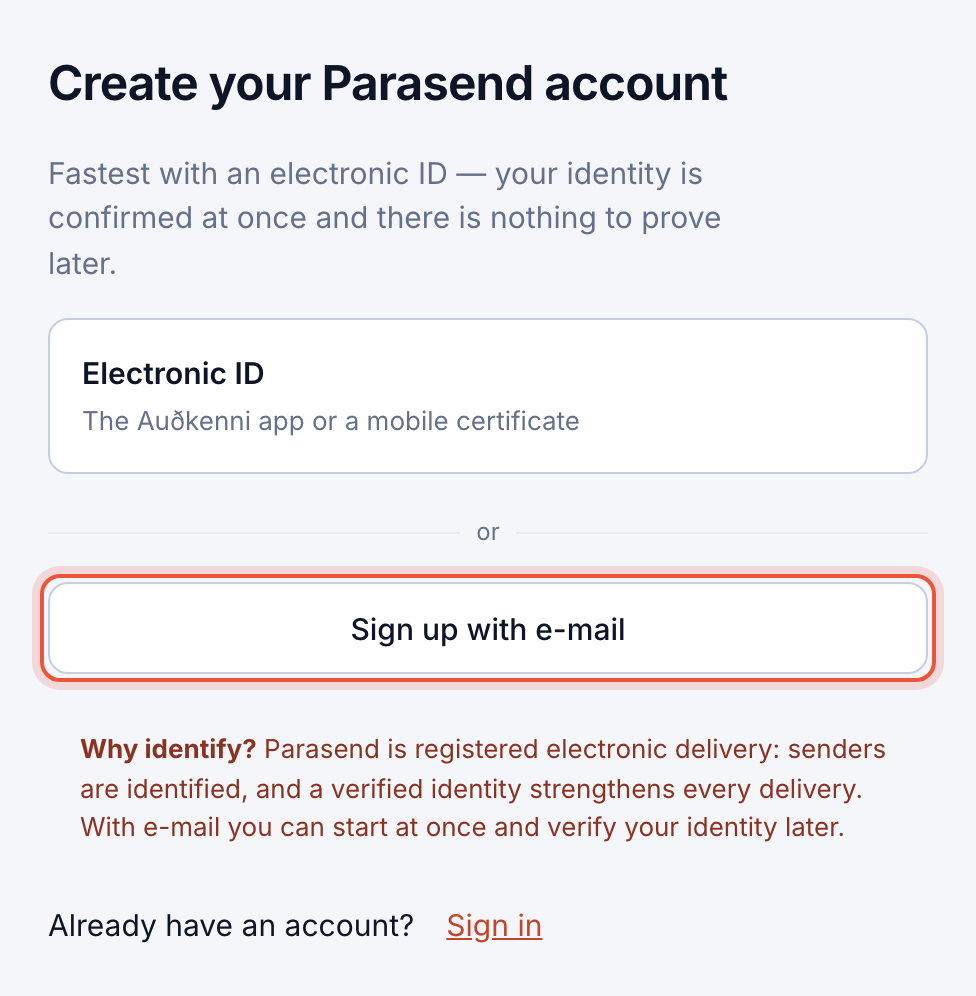
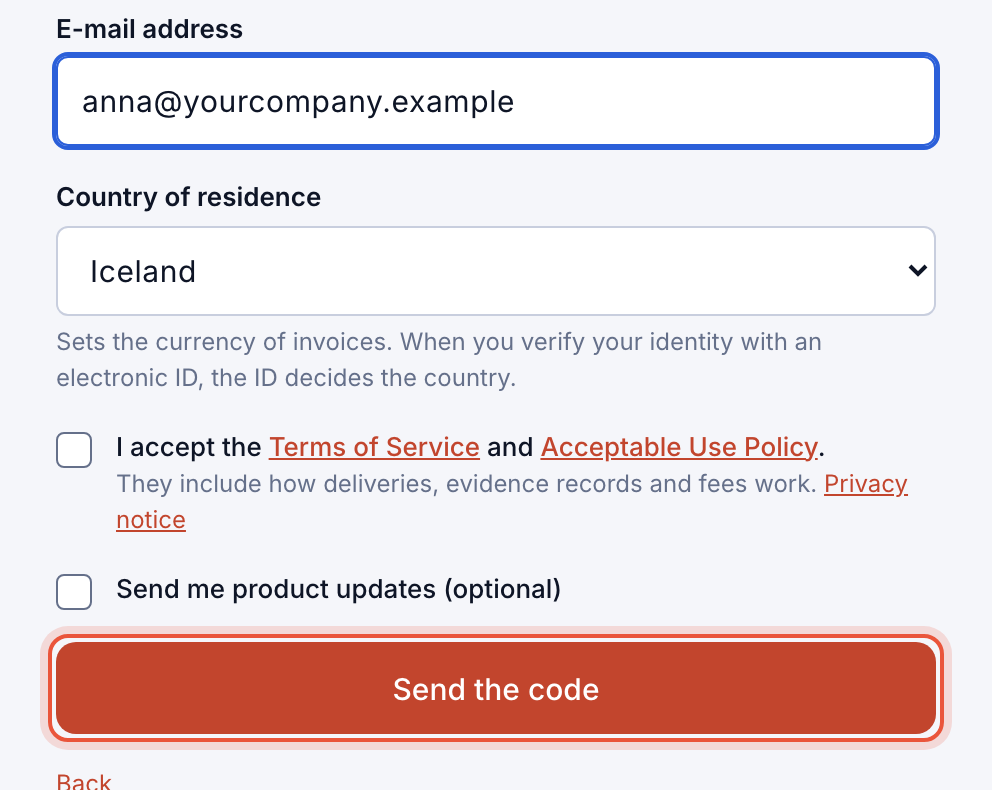
- Under Your details, enter your Full name as recipients should see it, your E-mail address and your Country of residence. The country sets the currency of your invoices.
- Tick that you accept the Terms of Service and Acceptable Use Policy, and click Send the code.
- Enter the 6-digit code from the e-mail under Confirmation code and click Confirm. The code is valid for 15 minutes. You can also press the button in the e-mail.
- Under What kind of account? choose Personal account and click Continue.
- Click Create a passkey (or Turn on Face ID / Turn on Touch ID) and confirm on your device. The passkey is how you sign in: there are no passwords in Parasend.
Disposable e-mail addresses can't be used. If the address already has a Parasend account, you are asked to sign in instead.
Sign up with an electronic ID
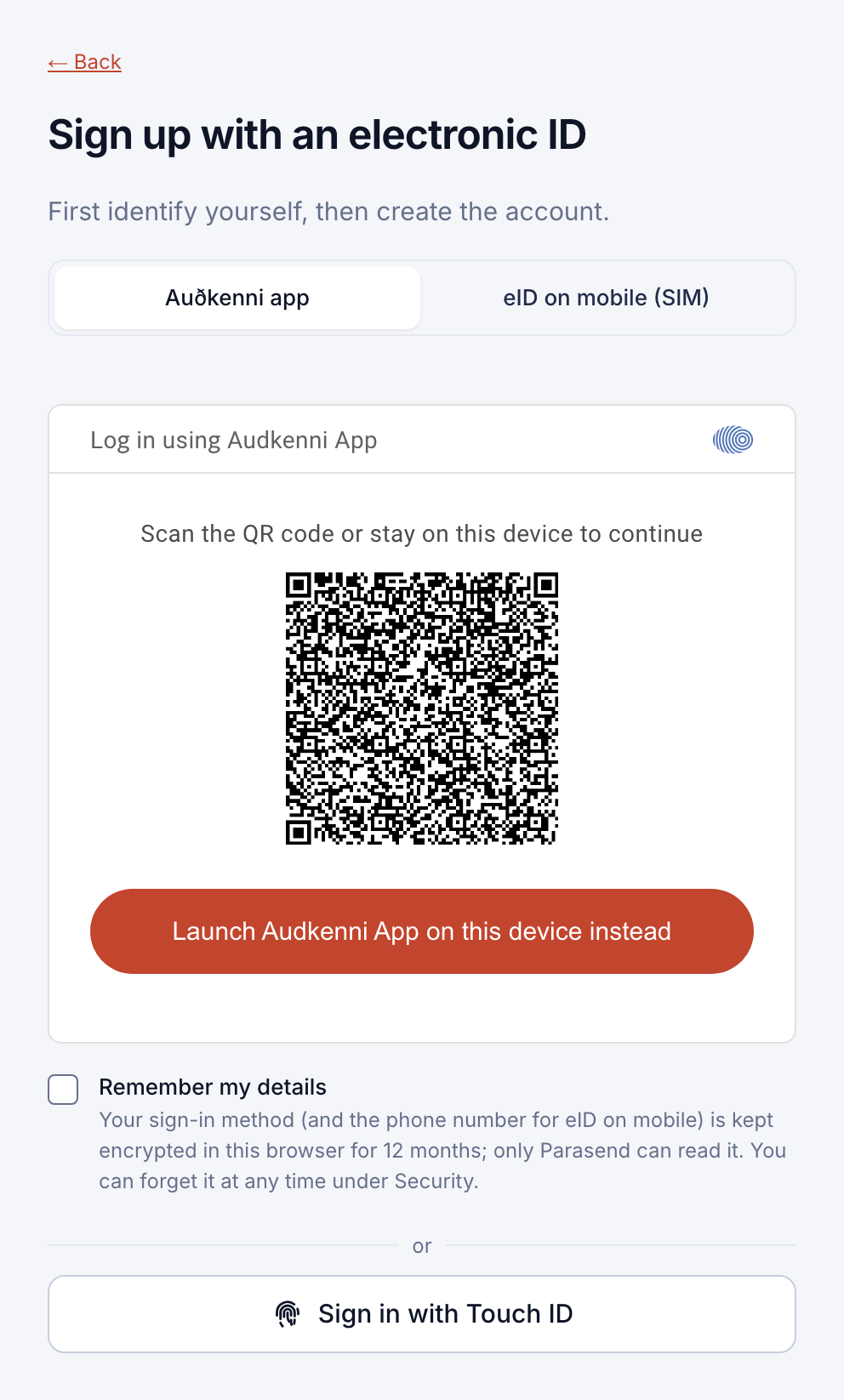
- Click Electronic ID and confirm on your phone with the Auðkenni app or a mobile certificate.
- Under Create a personal account, enter the e-mail address that invoices and notices should go to, and confirm it with the code we send.
- Click Confirm and create the account. Your billing country follows your electronic ID.
After sign-up
Your account comes with free deliveries to try Parasend: three with a verified identity, one while your identity is unverified. When you're ready, choose a plan under Service plan and billing.
Signed up with e-mail? Verify your identity to remove the Unverified sender mark and open SMS.