
Sign in to Parasend
Parasend has no passwords. You sign in with an electronic ID, a passkey on your device, or your company's single sign-on. Every account belongs to a person who has identified with an electronic ID or confirmed an e-mail address.
Go to app.parasend.com.

Sign in with an electronic ID
- Choose Auðkenni app or eID on mobile (SIM).
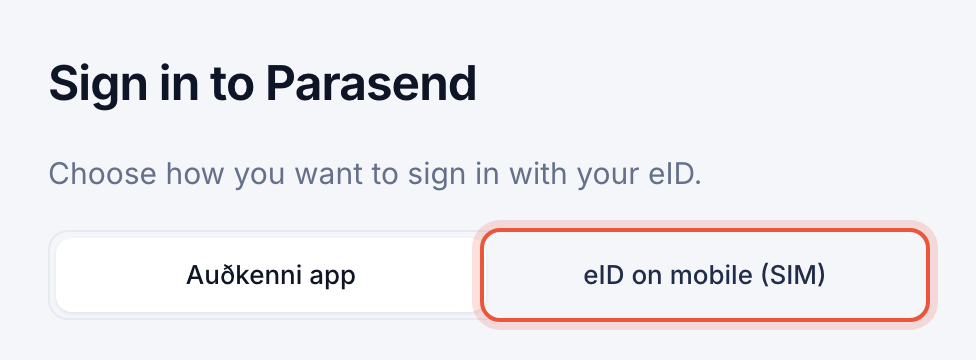
- Auðkenni app: scan the QR code with your phone, or click Launch Audkenni App on this device instead if you are on your phone.
eID on mobile (SIM): enter your phone number. - Check that the control code on your phone matches the code on the screen, and confirm only if it does.
Tick Remember my details to keep your sign-in method (and phone number) in this browser for 12 months, encrypted. You can forget it at any time under Security.
Sign in with a passkey
If you have set up a passkey on your device, click Sign in with Touch ID (or Face ID, or your device PIN). No electronic ID is needed. See Add and manage passkeys.

Sign in with single sign-on
If your company has set up single sign-on, click Use Microsoft, Okta, Google or SAML?, enter your work e-mail and click Continue. You go to your company's sign-in page and come back signed in.


Trouble signing in?
| Message or problem | What to do |
|---|---|
| Lost your phone or passkey | See Lost your passkey? Get back in. |
| Time ran out before the sign-in was confirmed | Click Try again and confirm on your phone a little faster. |
| Too many failed attempts. Try again in 24 hours. | Sign-in is blocked for a day after repeated failures. Wait, or contact info@parasend.com. |
| Go back to the browser you started in | You confirmed in a different browser or app. Signing in finishes in the tab where you started. |
| You were signed out | For security, you are signed out after 60 minutes without activity. |