
Send notifications from your own e-mail address
Notifications are sent with your name and logo from Parasend's address. With your own e-mail sender, they come from your address instead, for example notices@yourcompany.example.
Who can do this: the owner and admins. Your own e-mail sender comes with Plan 1 and up. You need access to your domain's DNS. Public providers such as gmail.com can't be used.
Choose how notifications go

| Through Parasend's mail service (recommended) | Through your own mail server (SMTP) | |
|---|---|---|
| Setup | A few DNS records at your domain's host | The server's sign-in, and a test e-mail you confirm |
| Parasend sees | Delivered, opened and bounced, in each delivery's history | Only that your server accepted the e-mail. Bounces and reports go to your mailbox |
| Suits | Most companies | Companies that must send from their own servers (Microsoft 365, Google, SendGrid, Mailgun, Amazon SES and others) |
Add an address through Parasend's mail service
- Open E-mail senders. Under How do notifications go?, choose the recommended option, enter the Address and click Add.
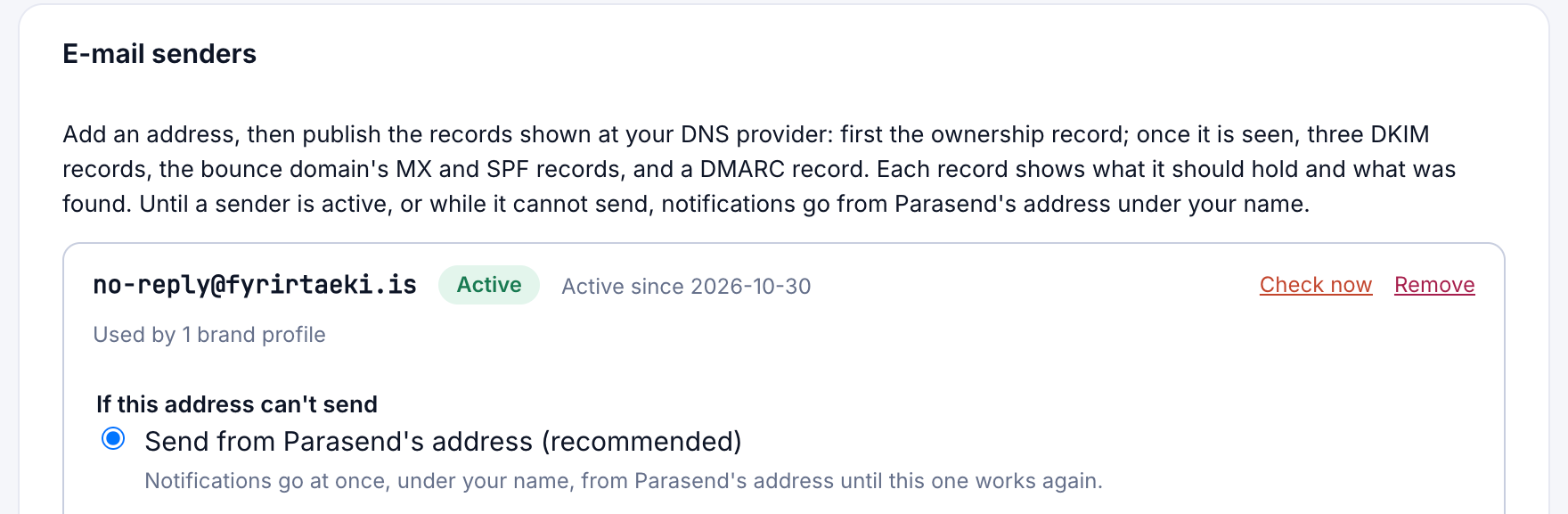
- Publish the records shown at your DNS provider: first the ownership record; once it is seen, three DKIM records, the bounce domain's MX and SPF records, and a DMARC record. Each record shows what it should hold and what was found.
- Click Check now, or wait for Parasend to check. The address shows as Active when everything is in place.
Add an address through your own mail server
- Choose Through your own mail server (SMTP), enter the address and click Add.
- Choose your provider and enter the server's sign-in details.
- Parasend sends a test e-mail to the address. Confirm it from the mailbox.
- Publish the SPF, DKIM and DMARC advice Parasend shows for your provider.
Use it
- In a brand profile, choose the address under E-mail sender → Send from, and set a Reply-to address for replies.
- Under If this address can't send, choose Send from Parasend's address (recommended: notifications go at once, under your name) or Wait for this address (at most a day; after that they go from Parasend's address).
Until a sender is active, or while it can't send, notifications go from Parasend's address under your name.