
Send your first delivery
This quick start takes you from a new account to your first delivery in a few minutes. Each step links to a detailed article.
Tip: Try it in test data first. Nothing is sent to real recipients and nothing is billed, so you can send to yourself as often as you like.
- Sign in at app.parasend.com with your electronic ID or passkey. No account yet? See Create a company account or Create a personal account.
- Click + New delivery at the top right of Home.

- Add the documents. Drag files into Documents, or choose them from your computer.
- Add the recipient. Search by name or kennitala, or type the name, e-mail address and mobile number. Under Notify by choose Email, SMS or both.
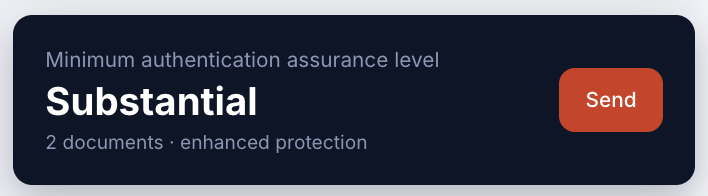
- Check the verification level. It starts at the strongest electronic ID level. Tick a weaker level only if you accept it for this delivery.
- Click Send. The card at the bottom right sums up how the recipient must identify before you send.
- Follow it. The delivery appears under Deliveries. When the recipient has identified and opened it, it shows as Delivered and you can download the Delivery Certificate. See Track a delivery.
Next steps
- Put your logo and colours on the notifications: Create a brand profile.
- Remind recipients automatically: How follow-up policies work.
- Send to many recipients at once: Send a campaign.
- Invite your colleagues: Invite team members.